Showing posts with label Photoshop. Show all posts

Friday, April 20, 2012

{DIY Wannabe} Boy Onesie Fun

I wish I had a Silhouette Cameo. It's been on my wishlist for quite some time, and I hope that I can proudly own one soon! Until then, I created a few onesies for Caleb the "old school" way. 

Thanks to my new found love for Photoshop, I designed a few images to fit on Caleb's onesies.

Caleb is wearing 12 month clothes, so I sized the images on a 4x6 template. Next, I printed out the designs to make sure I was happy with the template, and test it on the onesie. Once the image was perfect, I flipped the images backwards {Photoshop-->Image-->Rotate-->Flip Horizontal}. 

Originally I printed the image {without flipping it} on Avery 4x6 heat transfer paper....and that was a disaster!! Every time I tried to peel the paper it would tear! I decided to order the Printable Heat Transfer paper from Silhouette {you don't need the machine to print on it, you only need a Silhouette to cut the image out}. 

I was able to fit 3 onesie images on a 8.5x11 page {get the most out of one page, yes please!}.

I hand-cut the images out "old school" style with my straight edge cutter {crying, because I wish I had a Silhouette. j/k}.

Finally, I ironed my designs on the onesies, and voila! Custom onesies for Caleb!

My Harry Potter loving heart is so happy to have a "Muggle Born" proud shirt for my little prince!

Linked to:


Covered in Grace

Monday, April 2, 2012

Photoshop Wannabe {2}

We drove to my brother-in-law's house this weekend, which is a little over an hour away, and it gave me time to have some fun on photoshop! {yes, I did work on my laptop in the car}

I have a friend that is expecting a girl so I wanted to create some fun photo stickers/iron-on heat transfers for her baby girl. I used the same design for Caleb's monthly sticker, but changed the colors. I'm uploading this design for you to download {for free} because everyone should have some designing fun! {you can also download the boy version here}


My hubby is happy that he bought me photoshop...now if I can only convince him to get me a silhouette machine!

I even had time to finally create some photo stickers for my baby bump pictures! Check out that enormous growing bump:

{can you tell aqua and pink are my favorite colors?}

Of course I'm going to share these stickers/images with you too:


Yep! I had a very productive car ride playing on photoshop!


Linked up to:
Ginger Snap Crafts 
The Little Giggler
 The 36th Avenue
Design Dazzle

Wednesday, March 28, 2012

Photoshop Wannabe

Hubby bought photoshop for me recently, and it's taken me a little bit to learn how to use it. What did people do before YouTube and Pinterest? So thankful for all the helpful tutorials out there!

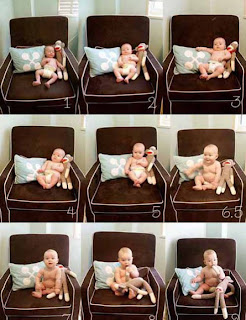
Before Caleb was born, I envisioned taking monthly photos of him on his nursery chair. This was my inspiration for the idea:

I loved the idea of taking monthly photos with Caleb only in his diaper and seeing his growth each month, but I still needed to create a "monthly sticker" for the photos. 

After playing around with photoshop I finally created a sticker that would work {and that would match Caleb's nursery}!


Matches the nursery!

{nursery photography by AJ Photography}

Wheewee...well that only took me 4 months to make! So, here are Caleb's *updated* photos with the new stickers:


I am now officially a photoshop wannabe! I think I'm going to add some cute photoshop stickers to my weekly pregnancy pictures too! {hopefully that doesn't take another 4 months!}

Here are some picture templates {that I made} for you to have {for free}. Download, add your own name on the bottom, the number, and add to a picture or print on heat transfer paper to make a onesie!